

It is already common to edit videos either for work, entertainment or school issues, but many times we do not have much experience in this subject and we resort to complex software instead of taking advantage of some other interesting and much more intuitive alternatives.
Today we present you the video editor, Wondershare filmoraGo, a perfect application to create videos where we can show that with the right video editor it is possible to obtain professional quality results without too much effort. You can get the software by clicking here. Just try. It’s simple!
Wondershare filmoraGo includes two modes of operation, a simple one for inexperienced people who only want to make montages of photos, video and audio very quickly and without effort, or a complete mode that offers us all the tools for an even more professional edition, in both cases a simple and intuitive interface is maintained. At first, you can try the simple one before continuing to the complete one.

Easy edit mode
In this easy mode of Wondershare filmoraGo we will find all the basic and necessary tools for those who do not have editing knowledge, since the editor guides you step by step in what you want to do to create your audiovisual content in the shortest possible time.
We only have to add the files that we want to be part of our video, first, the videos and photographs, then select an editing theme that includes the beginning and end title, then add the music that can be the one included by default or some audio from our choice.
Once this is done, it will show us a preview of the video and if we like it we can render it to save it on the PC or Mac, or upload it directly to platforms such as YouTube, Facebook or Vimeo.
Full edit mode
Here we already need a little more knowledge, or at least, more desire to edit because we will have total control of the content, offering us the traditional “timeline” to adjust, trim and modify the times of the added content for the composition of the video.
We can also include titles or other texts, various overprinted multimedia content, and put color filters. On the other hand, it is possible to view multiple clips at the same time, using various split screen templates.
Already in this mode we find that Wondershare filmoraGo is a complete video editor with the necessary tools to generate professional content, it only requires patience and the desire to improve, although the software helps too much compared to most of the alternatives on the market.
When we finish the editing stage, we can export our finished video to various formats and with different configurations to be played on any platform such as an iPhone, PlayStation 4, Xbox or a Smart TV, with predefined parameters based on the equipment.
Additional features
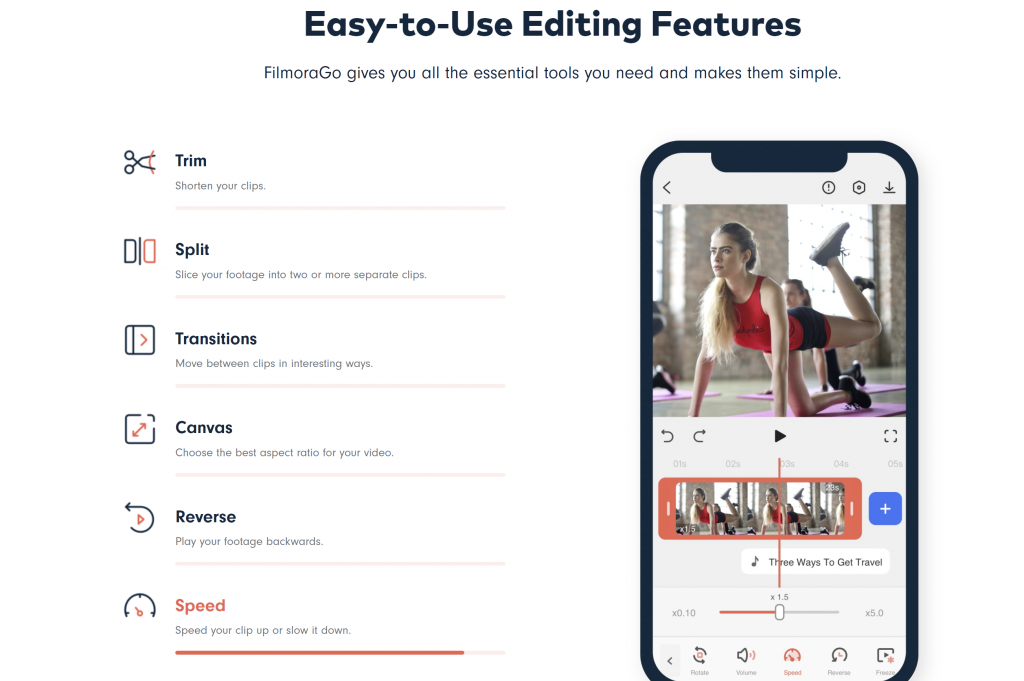
Wondershare filmoraGo also includes some additional functions that will allow us to get more out of the video editing time, the first of which is a cropping tool to precisely trim the video fragments to insert only the specific content we need.
A second tool is designed to enhance video recorded with an action camera such as the GoPro by adding image stabilization, removing the “fisheye” effect, and modifying the playback speed of content.
Finally, it should be noted that Wondershare filmoraGo supports 4K video editing, creation of animated GIFs, elimination of background noise, import of clips from social networks, creation of “slow motion” effect, color adjustment, panoramic view, zoom, modification aspect ratio and set a camera shake for a more realistic effect if necessary.
The conclusion
One of the advantages of Wondershare filmoraGo is that we can use it at no cost to thoroughly test all its advantages and features, but when we render we will find a watermark in the video and to remove it we will be invited to acquire the full version, but its Price is quite low from only $ 40 dollars, being a great offer where we can invest our money.
In addition, filmoraGo is a dedicated software that would allow us to exploit our creative capabilities in editing audiovisual content without so much experience, combining a simple interface with custom functions and through Wondershare filmoraGo we can better introduce ourselves to the world of video editing, for therefore, we recommend purchasing this software. Hopefully this information can be useful for you. Thanks for reading and have a nice try!


